What Schedulers Do When a Post Fails
None of the five help centres read here promises an automatic retry. Buffer states it in one sentence and gives two buttons. Later lists five causes with an expired connection first. Metricool marks the post With errors and tells you to duplicate it. Publer emails you and offers Auto Reschedule. Sendible asks for a five to ten minute pause. Checked October 22, 2026.
This article is a documentation review: it is based on the vendors' own published pages, checked on the date shown. We may earn a commission from some links; it never affects what we recommend.
A scheduled post that fails does not get published late. On all five help centres read here it stays failed until a person acts. Buffer answers the question in one sentence and offers two buttons. Later lists five causes and puts an expired connection first.
Metricool marks the post "With errors" and tells you to duplicate it. Publer emails you and offers an Auto Reschedule that still needs a click. Sendible parks it in a Failed view and asks for a five to ten minute pause.
Pages read on October 22, 2026.
No tool read here retries on its own
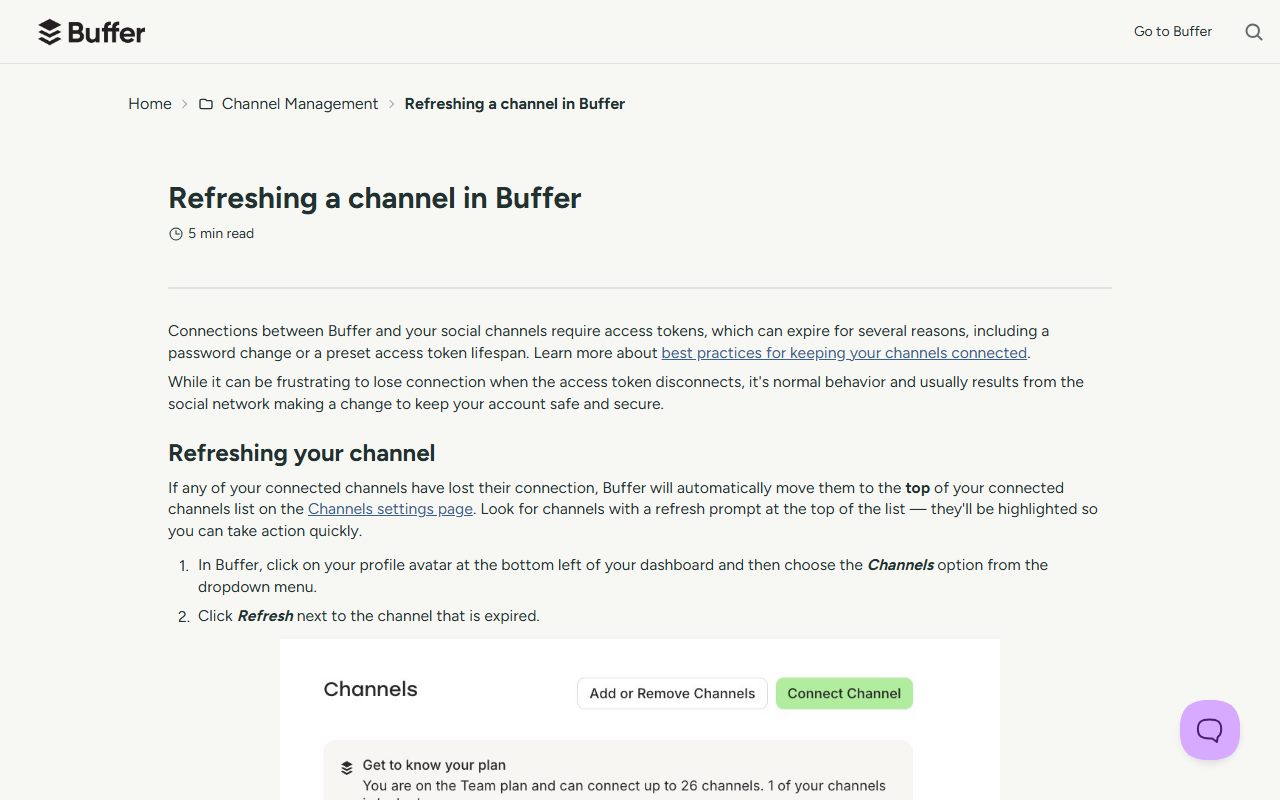
Buffer's help centre answers directly: "No, Buffer will not automatically retry your failed posts if the connection fails. Therefore, once you refresh your connection, we recommend retrying any failed posts that you would like to publish."
Buffer then gives two choices. "Re-add to Queue" "will add your post to the next available posting slot according to your posting schedule", while "Retry Now" "will publish your post immediately".
Publer comes closest to automatic without getting there. Its page offers Reschedule and Auto Reschedule, and says "Auto Reschedule helps you save time instead of manually choosing a new date and time". The tool picks the slot; a person starts it.
Publer attaches a prerequisite to that convenience: a posting schedule must exist for the social account in question, or there is no available slot for Auto Reschedule to find.
Metricool is the most manual of the five. Its instruction is "To publish it again, duplicate the post and schedule it for a new date and time." The original stays failed.
How each tool tells you
Metricool is the only one of the five with a published notification table. It lists an "Erroneous post" alert, described as "A post could not be published", delivered by "Email, In-app", and switchable from notification preferences.
Publer notifies by email only, with four settings under Settings and Email Notifications: "Email me for every post failure", "Email me at most once per hour for post failures", "Email me a daily digest of all failures" and "Don't email me".
That hourly and daily digest option is the useful one for anyone running many accounts. A per-failure email during a platform outage buries the one failure that was your fault.
Sendible routes everything to a view instead. Its Instagram error page repeatedly tells users to retry "from the Failed view" once the cause has been cleared.
- Buffer: retry by hand with Re-add to Queue or Retry Now.
- Later: fix the cause first; refreshing the expired social profile is step one in its article.
- Metricool: the planner shows With errors; duplicate the post and pick a new time.
- Publer: Reschedule or Auto Reschedule from the post timestamp.
- Sendible: repost from the Failed view after the error is cleared.
Most failures are a dead connection, not a bad post
Later puts an expired profile at the top of its list: "If your social profile is expired, the connection between Later and the social platform is lost. This means we won't be able to publish your posts."
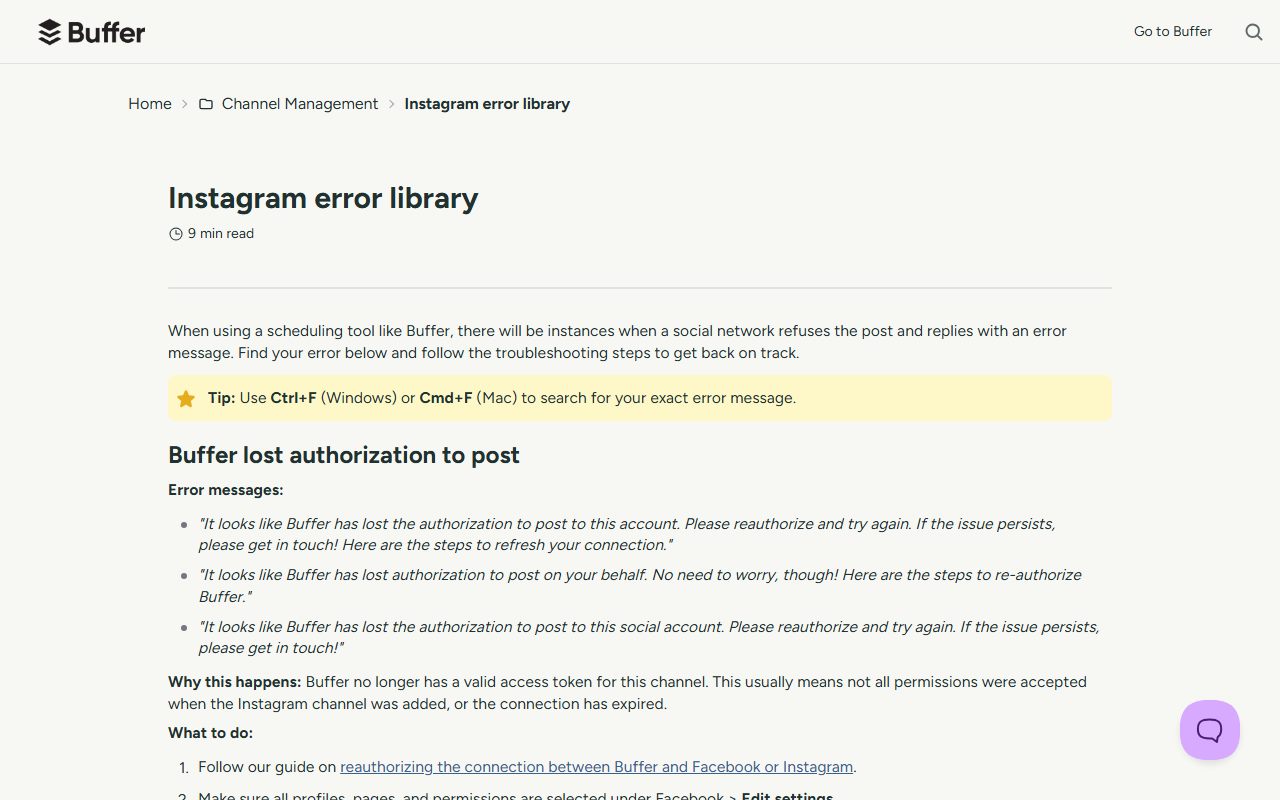
Buffer frames the same event from the network side. With any scheduling tool "there will be instances when a social network refuses the post and replies with an error message".
Metricool names a harsher variant for Instagram. An account restriction "usually means Instagram has applied an API-only restriction", so you can still post from the Instagram app or Meta Business Suite while third-party publishing stays blocked.
That distinction matters when you are deciding whether the tool or the account is broken. The permission layer underneath is covered in what Instagram and TikTok API limits mean and LinkedIn and X API limits for schedulers.
The daily caps the vendors publish do not agree
One number is worth writing down before you plan a launch day, and the three pages read disagree on it.
Buffer's Instagram error library states that "Instagram allows a maximum of 25 posts within a 24-hour period".
Later states double that: "Instagram's API does not allow more than 50 posts to be Auto Published in a 24-hour rolling period. After 50 posts, Instagram will block Later from automatically publishing any further posts."
Metricool matches Later with "Daily limit: 50 posts per 24 hours", and says the count combines feed posts, Reels and Stories.
All three pages were read on October 22, 2026 and we cannot reconcile them from the vendor documentation. Plan against the lower figure if the volume matters, and count Stories, since Metricool says they share the allowance.
Later also publishes the workaround it expects: keep daily Auto Publish posts below 50 and use notification publishing for anything beyond the limit.
Media rules that fail at the last second
Buffer prints hard file limits for Instagram. "Images must be under 8MB", and video must be ".MP4 or .mov format" with "the bitrate is under 5 MBps".
Sendible surfaces the same class of problem in the editor: "The failed requirement will appear on the media in the Compose Box. Please adjust the media and reschedule the post."
Later adds two causes that are not media at all. A post left on notification publishing never goes live without a person finishing it, and TikTok will reject a post it scores as high spam risk.
Later also notes that posts to Instagram personal profiles must use notification publishing, so an account type change can turn a working schedule into a silent queue of reminders.
Retrying too fast makes it worse
Metricool warns against the obvious reflex: "Do not republish the same content repeatedly in quick succession. Instagram can treat repeated attempts as spam and block them, and republishing a post that is still processing can create a duplicate."
Sendible puts a number on the pause: "Wait for 5 to 10 minutes before you try reposting the message from the Failed view. If it fails with the same error message", escalate rather than retry.
Metricool's advice for load-related errors is to wait a few hours and to check platform status pages before trying again when failures are widespread.
What we could not read
Hootsuite's help centre article on scheduled post failures returned HTTP 401 to our fetcher, and the article body was not present in a headless browser dump of the same URL on October 22, 2026.
Hootsuite is therefore left out of this comparison rather than described from a search snippet. Its plan pricing is read in Sprout Social versus Hootsuite and its free tier in Buffer versus Later versus Hootsuite free plans.
Frequently asked questions
Do social media schedulers retry failed posts automatically?
Not on the five help centres read on October 22, 2026. Buffer states it outright. Metricool tells you to duplicate the post. Publer offers Auto Reschedule, which chooses the time slot but still has to be started by a person.
How will I know a post failed?
Metricool sends an "Erroneous post" alert by email and in-app, configurable from preferences. Publer emails only, with per-failure, hourly or daily digest options. Buffer, Later and Sendible rely on the queue, planner or Failed view.
How many Instagram posts can a scheduler publish per day?
The vendors disagree. Buffer's error library says a maximum of 25 posts in 24 hours. Later says 50 Auto Published posts in a rolling 24 hours, and Metricool says 50 per 24 hours counting feed posts, Reels and Stories together.
Why do posts start failing after months of working?
An expired connection is the first cause Later lists, and Buffer confirms it will not retry after a connection failure. Refresh or reauthorise the profile, then retry the failed posts by hand.
Can I just republish the failed post straight away?
Metricool advises against it, warning that Instagram can treat repeated attempts as spam and that republishing a post still processing can create a duplicate. Sendible asks for a five to ten minute wait before reposting.
Bottom line
Treat failure handling as a feature you check before you buy, not after the first missed launch. The questions are whether the tool emails you, whether it can rebook the post into your schedule, and whether it tells you the real reason.
On that test Metricool and Publer document the clearest notifications, Buffer the clearest retry buttons, and Later the clearest list of causes. None of them will save a post while you sleep.
Before committing, read the plan pages too, since notification and approval features sit at different tiers. That reading is set out in how to read a social media tool pricing page and what counts as a channel in a social scheduler.
All quotations and limits come from the vendors' own help pages on October 22, 2026 and can change without notice.
Sources
- Buffer: refreshing a channel (no automatic retry, Re-add to Queue, Retry Now) (checked Oct 22, 2026)
- Buffer: Instagram error library (25 posts per 24 hours, 8MB images, 5 MBps bitrate) (checked Oct 22, 2026)
- Later: Troubleshooting Failed Posts (expired profile, notification publishing, 50 Auto Publish posts) (checked Oct 22, 2026)
- Metricool: Instagram posting errors and troubleshooting (With errors, duplicate the post, 50 posts per 24 hours) (checked Oct 22, 2026)
- Metricool: types of notifications (Erroneous post, Email and In-app) (checked Oct 22, 2026)
- Publer: how to reschedule or auto reschedule posts (checked Oct 22, 2026)
- Publer: how to get notified about failed posts (four email settings) (checked Oct 22, 2026)
- Sendible: Instagram error messages (Failed view, wait 5 to 10 minutes) (checked Oct 22, 2026)