What You Can Export From a Social Tool Before You Leave
Analytics, scheduled posts and inbox messages leave by three different doors, and most are shut on free plans. Buffer puts CSV, Markdown and PDF export behind paid tiers. Later requires Starter, Growth or Scale. Metricool reports come out as PDF or PPT from Starter up. Sendible exports posts and inbox messages as CSV or HTML but stores reporting data for 90 days. Read October 22, 2026.
This article is a documentation review: it is based on the vendors' own published pages, checked on the date shown. We may earn a commission from some links; it never affects what we recommend.

Three kinds of data sit inside a social media tool and each one leaves by a different door: analytics, the content calendar and the inbox. Most of those doors are locked on free plans. Buffer puts CSV, Markdown and PDF export behind its paid tiers.
Later requires Starter, Growth or Scale. Metricool reports come out as PDF or PPT from Starter up. Sendible is the most complete of the four, with CSV or HTML for posts, reports and inbox messages, but it stores reporting data for 90 days.
Help pages read October 22, 2026.
Analytics export is a paid feature almost everywhere
Buffer states the split plainly. "Exporting Insights data as a CSV, Markdown, or PDF file is available on our paid plans", while downloading the charts as images "is available on all plans, including Free".
The CSV is a bundle rather than a single file. "Export to CSV" produces "a .zip file containing three separate CSV files: summary.csv, posts.csv, and timeseries.csv", and the Markdown option produces "a single .md file with all three sections".
One detail catches people exporting in a hurry. Buffer says "The export reflects exactly what you're currently seeing on the page, including your active date range, tag filters, and channel filters".
So a filtered dashboard exports filtered data. Clear the filters and widen the date range before clicking, or the archive you keep will be a slice of one week.
Later gates the same feature by tier. Its CSV article carries the note "This feature is available on Starter, Growth, and Scale plans", and warns that accounts started before July 1, 2025 may sit on a legacy plan and need an upgrade.
Metricool restricts reporting the same way. Its report page says the feature "is available on Starter plans and above" and that "it is not available on the free plan".
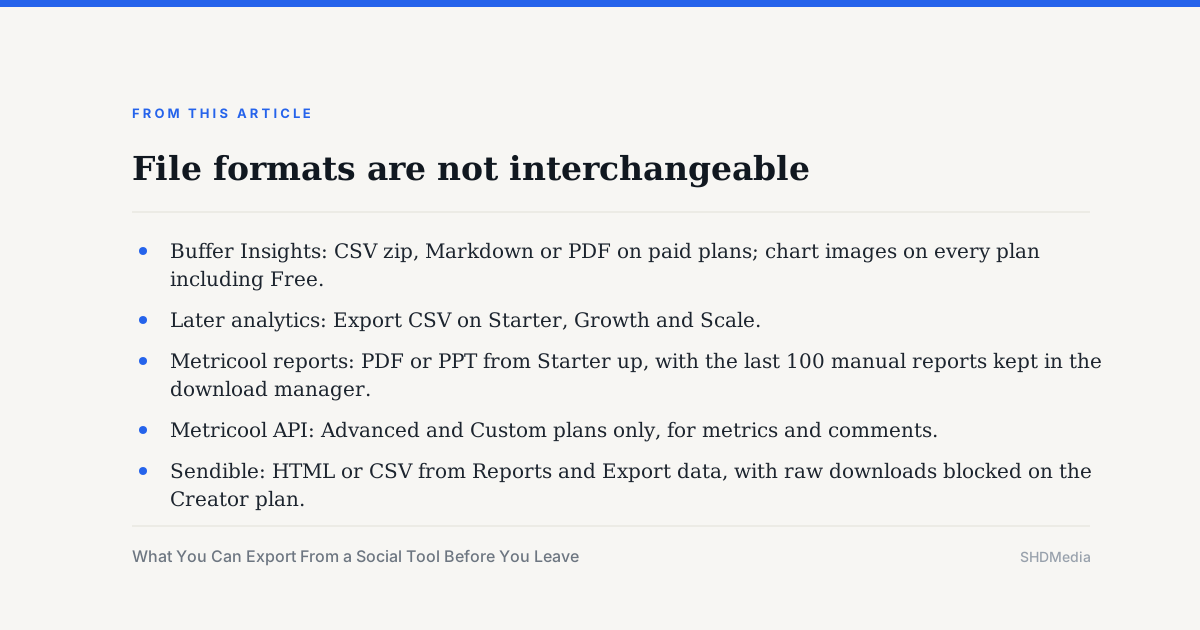
File formats are not interchangeable
Metricool reports come out as documents, not data. The instruction is "Click the download button for PDF or PPT." A PDF satisfies a client and is useless in a spreadsheet.
Metricool keeps a copy for you as well: "You can view your last 100 manual reports" from the download manager, without regenerating them.
For raw numbers Metricool points at its API, which "is available on Advanced and Custom plans" and exists to "export metrics and comments to other tools like databases, CRMs, your own custom dashboards, or AI tools".
Sendible offers both shapes. Its report export sits under Reports and Export data, where you "Choose either HTML or CSV format for your downloads".
Sendible also says what the HTML file is not: "The HTML version is not a live link that can be shared; instead, it is a file that you can open, print, or save as a PDF."
- Buffer Insights: CSV zip, Markdown or PDF on paid plans; chart images on every plan including Free.
- Later analytics: Export CSV on Starter, Growth and Scale.
- Metricool reports: PDF or PPT from Starter up, with the last 100 manual reports kept in the download manager.
- Metricool API: Advanced and Custom plans only, for metrics and comments.
- Sendible: HTML or CSV from Reports and Export data, with raw downloads blocked on the Creator plan.
Scheduled posts leave as a spreadsheet, if at all
Sendible is the clearest on the calendar, and names the reasons people ask. Exporting posts "allows you to transfer them to other users, share them with clients who do not have access to the dashboard, or use them outside Sendible".
The route is the calendar's three-dot menu, then Export, with two outputs. "Export to CSV" gives "a comma-separated values (CSV) format, which can be used in a spreadsheet", and Export to HTML gives a readable file with images.
Drafts are a separate job. Sendible sends you to Publish and Drafts, select the posts, then the More button, and offers the same CSV or HTML choice.
That split is worth knowing before the last day of a subscription. A calendar export that misses every unapproved draft is not a backup of your pipeline.
Which posts even exist as drafts depends on the approval tier you are on, a distinction covered in how to read a social media tool pricing page.
Inbox messages: one documented export among the tools read
Sendible's Priority Inbox lists "Export selected messages as a CSV file" among its actions, with checkboxes "to select messages individually or all of the ones displayed in the dashboard".
Two limits sit on the same page. Comments and replies "are only pulled in for recent posts. For most accounts, it's four (4) days after publication", and there can be "a 1-2 hour delay" before messages appear.
The inbox also excludes channels. Sendible says you will not see messages from personal LinkedIn profiles, X, Google Business, TikTok, WordPress or Instagram direct messages there.
So an inbox export is a partial record by design, not a full conversation history. What the feature costs across tools is read in what a unified social inbox actually costs.
We did not find a documented inbox export on the Buffer, Later, Metricool or Publer help pages read on October 22, 2026. That is a gap in what we could read, not evidence that no such export exists.
The window closes before you cancel
Sendible stores less than a full history. "We currently store reporting data for 90 days as standard", and for downloaded data "in most cases, you will only be able to export data for the previous three (3) months".
It also names a plan limit in the same place: "Downloading raw data is not available on the Creator plan." The cheapest tier is the one that cannot take its numbers with it.
Sendible adds a retrieval caution too: pulling data older than six months "may cause issues, such as images not loading in the Top Posts module or incorrect/missing data".
Buffer shows the same clock from the downgrade side. On the Free plan "you would only see the last 30 days of your post history", you may keep "up to three social channels", and surplus channels are locked but stay connected to the account.
Two more Free caps bite during a downgrade. Buffer's Free queue limit is 10 scheduled posts per channel, and saved ideas above the 100-idea limit stay viewable while no new ones can be created.
How much history a tool holds in the first place is measured in how far back social media analytics go, and the free-tier caps are compared in Buffer versus Later versus Hootsuite free plans.
An export checklist for the last week of a subscription
- Clear every filter and widen the date range first; Buffer exports exactly what is on screen.
- Take CSV for anything you will recompute, and PDF, PPT or HTML only for client delivery.
- Export the calendar and the drafts separately; Sendible treats them as two different menus.
- Export inbox messages while the plan is still paid, and remember the four-day comment window.
- Check retention before you plan: 90 days of reporting data at Sendible, 30 days of post history on Buffer Free.
- Downgrade after the export, never before; the limits apply on the tier you land in.
If the plan you are leaving charged per brand or per channel, check what happens to the inactive ones too, since that unit decides what stays visible.
Those billing units are compared in what counts as a channel in a social scheduler and Metricool versus Sprout Social.
Frequently asked questions
Can I export social media analytics on a free plan?
Rarely. Buffer allows chart images on every plan including Free but keeps CSV, Markdown and PDF on paid plans. Metricool reports are not available on the free plan, and Later's CSV export requires Starter, Growth or Scale.
Which export format should I choose?
CSV for anything you will recalculate, since Buffer's zip splits into summary.csv, posts.csv and timeseries.csv. PDF, PPT or HTML for client delivery. Metricool only offers PDF or PPT for reports, with raw data through its API.
How far back can I export my data?
Sendible stores reporting data for 90 days as standard and says downloaded data in most cases reaches back three months. Buffer's Free plan shows only the last 30 days of post history after a downgrade, as of October 22, 2026.
Can I export my social inbox?
Sendible documents it: the Priority Inbox offers "Export selected messages as a CSV file". We did not find an equivalent documented export on the Buffer, Later, Metricool or Publer pages read on October 22, 2026.
Should I export before or after downgrading?
Before. The export limits and history windows apply to the plan you are on at the moment you click. Buffer's 30-day history and 10-post queue, and Sendible's Creator restriction on raw downloads, all bite on the lower tier.
Bottom line
Plan the export a month before the renewal, not a day before the cancellation. The retention clock, not the cancellation date, decides how much of your own data you get to keep.
Of the four tools read, Sendible documents the widest set of exports and the tightest retention window. Buffer documents the clearest analytics export and the harshest downgrade. Metricool exports documents by default and raw data only on its two top plans.
All quotations, formats and plan names come from the vendors' own help pages on October 22, 2026 and can change without notice.
Sources
- Buffer: using Insights (CSV zip contents, Markdown, PDF, paid-plan restriction, filters) (checked Oct 22, 2026)
- Buffer: what happens when you downgrade to the Free plan (30 days of history, three channels, 10 posts, 100 ideas) (checked Oct 22, 2026)
- Later: export Instagram analytics as a CSV (Starter, Growth and Scale plans) (checked Oct 22, 2026)
- Metricool: how to generate reports (PDF or PPT, Starter plans and above, last 100 reports) (checked Oct 22, 2026)
- Metricool: API access (Advanced and Custom plans) (checked Oct 22, 2026)
- Sendible: export your posts (CSV or HTML, drafts exported separately) (checked Oct 22, 2026)
- Sendible: historical report data (90 days, three months of downloaded data, Creator plan restriction) (checked Oct 22, 2026)
- Sendible: overview of the Priority Inbox (export selected messages as CSV, four-day comment window) (checked Oct 22, 2026)
- Sendible: overview of the report data export (HTML or CSV, Reports and Export data) (checked Oct 22, 2026)